Monday, March 18, 2013

Google Reader Replaced by ...

Picture heavy and includes mini-tutes.

First off, I want you to know that yes, I do realize that the title of my last blog post included a misnomer.  I referred to my investigative research as a search for a Blogger replacement.  That was wrong; I was actually searching for a Google Reader replacement.

See the referenced post here.

I have made my decision.

My top two choices are Feedly and NetVibes.

Feedly - my second choice

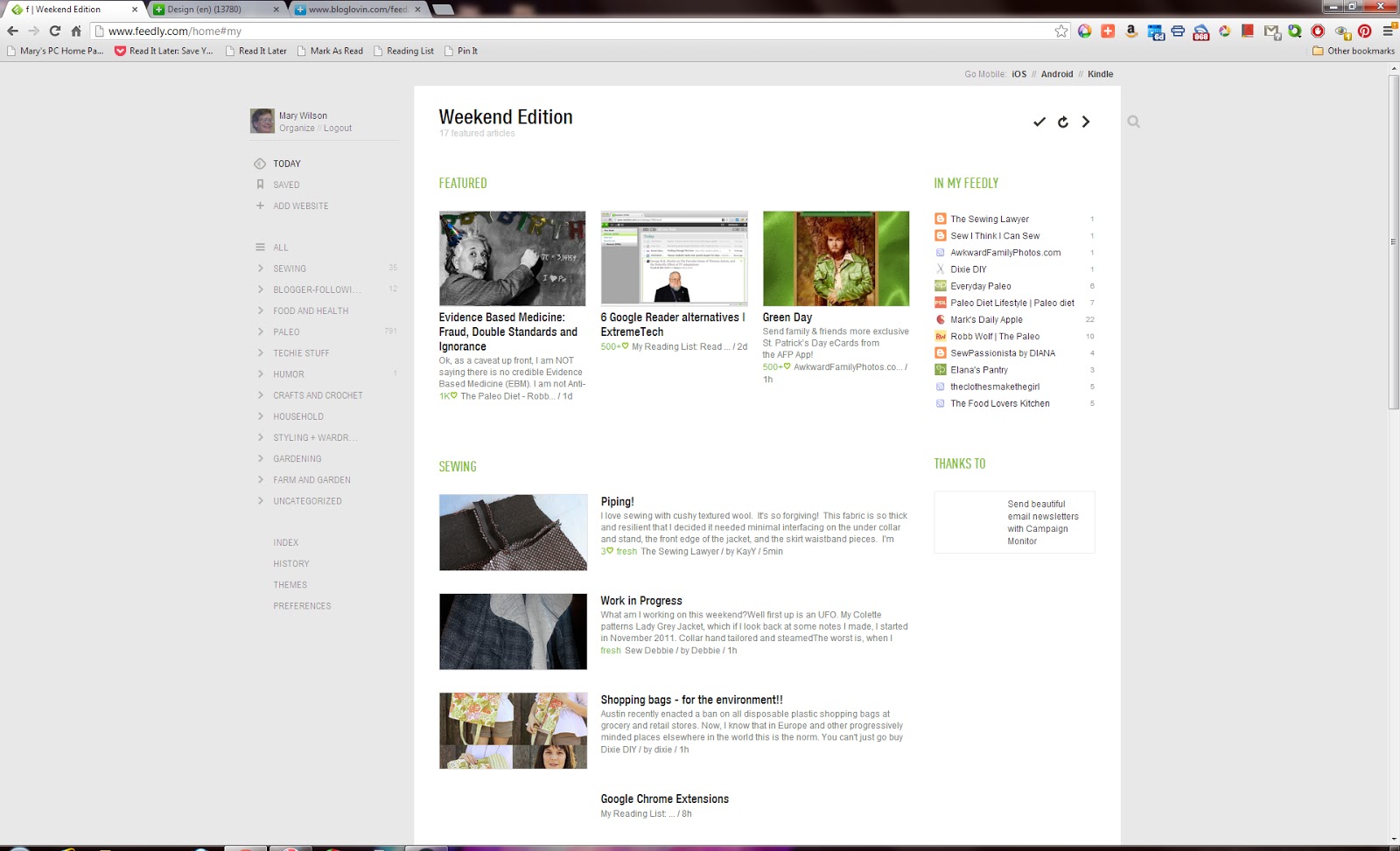
Feedly is pretty, but I hadn't figured out how to tell it to mark all posts in one category as having been Read.  Interestingly enough, I Just Found It.  Gah!

By hovering the mouse over the Featured tab, the notation "mark featured as read" appears:

By hovering the mouse over a blog title, the notation "actions" appears"

By hovering the mouse over the word "actions," the actions menu appears:

By hovering the mouse over the unread message count of a category on the left side, the "mark all as read" option appears:

There is one reason I will occasionally use Feedly - Searching!  I did find that Feedly allowed for search limits - or not.  Here's what appeared when I clicked on the search icon at the upper right and entered my search criterion.  This really surprised me that I could limit my search to my blog feeds or to the whole
Internet:

Feedly is no longer my primary RSS Reader because I could only preview a few blogs at a time.

NetVibes - my first choice

When I first started using NetVibes, my blog feeds were not categorized.  Yes, it took a little time to do it but it was easy to do.  First I clicked on the "Uncategorized" category.  Here it is shown in the "Reader" view:

... and here it is shown in the "Widgets" view (before I changed my colors):

I used the "Widgets" view to drag each box, which was a blog feed, to the correct category   In the "widgets" view, the categories are also called tabs.

I will get back to this after I show how to add a blog.  First I search for a new blog:

I click on the link to go to the blog, then i click the RSS Feed icon:

... and as scary as it might look, I got this.  Please note that I selected (and copied) the feed's web address - has the word "Feed in it:

Back in NetVibes, I select "Add content" then "Add a feed" then paste in the web address and select the "Add feed" button:

Hover the mouse over the small "feed" box and click on the green plus sign:

This new feed went into whatever category (tab) was already selected (highlighted).

To move a blog (box) to a different category, hover the mouse over the blog title bar, which gives a Windows "move" icon (plus sign with four arrows), and drag that box to the category.  The spot where the blog was appears empty, and the receiving category appears differently, with the small "feed" box on top of the new category:

There are many cases where unwanted functions can be hidden.  This is usually done by finding the related "X" - for example:

I prefer the "widgets" view (immediately above) when recategorizing blog feeds.  I prefer the "reader" view when reading the blogs I follow.  Each blog post has a one-line preview.  The blogs I have already read are grayed out:

When I want to read a blog post, I click on it, and it shows me the article:

When I want to mark all blogs in a category as "read," I click the "Mark all as Read" box:

When the mouse is hovered over a blog post, more symbols appear.  A click on the double-arrow causes that blog post to open in a new tab in the browser:

NetVibes is a winner for me because I can now scan all my unread messages more quickly than before - as in Google Reader!  I don't so searches as often as I thought (just a few days ago), so I will use Feedly when I need to search my own blog feeds.

Saturday, March 16, 2013

Searching for Blogger Replacement

Since learning of Google's plans to terminate Google Reader in July, I have signed up for several RSS feed readers to see which I like best.

I selected readers that allow me to read in the cloud, so I don't have to download stuff to fill up my computer.

All the non-google readers I'm showing here did allow me to import all my Google Reader feeds.

Feedly

Feedly allows me to categorize my feeds, shows a count of unread messages in each category, and shows the most recent feeds on top:

... and Feedly does have a search function:


NetVibes

NetVibes allows me to categorize my feeds, shows a count of unread messages in each category, and shows the most recent feeds on top.  This is the Reader view:

... and, in the Widgets view, NetVibes does have a search function:

I found NetVibes themes here, and selected a flower theme:

... which looks like this when installed:

I like the lighter look of this much better than the black!  Themes are also available in  Settings, which is found in the icon at upper right that looks like a cross between a bit of weaving and a small bamboo forest (to the left of Dashboards).

BlogLovin

BlogLovin  allows me to categorize my feeds, shows a count of unread messages in each category, and shows the most recent feeds on top:  There is a "search for blogs" box at the top, but that searches FOR blogs, not within my reader:

What I like least about BlogLovin' is one of its icons - not exactly family-friendly fare:

Blogger

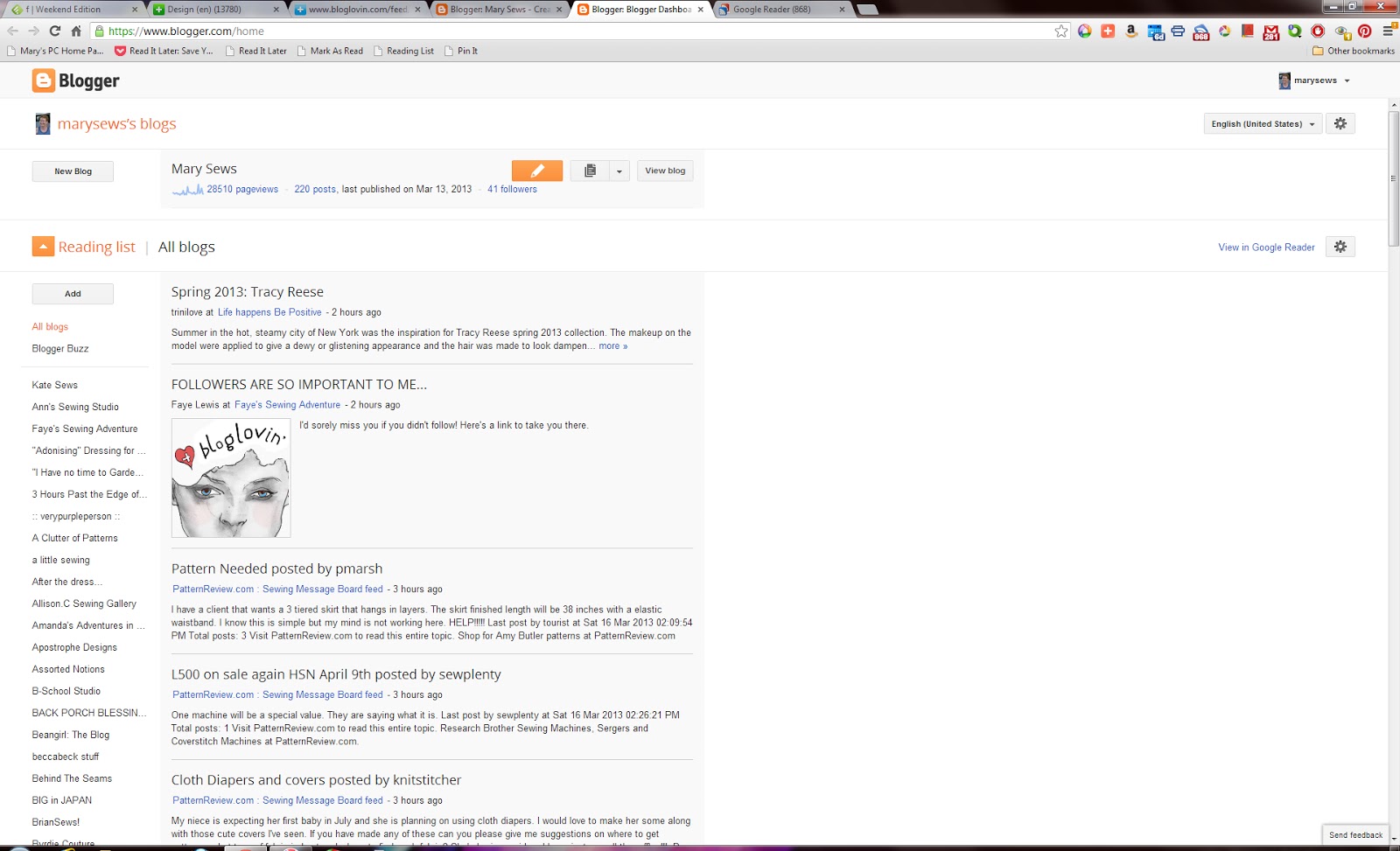
Blogger  allows me to categorize my feeds, shows a count of unread messages in each category, and shows the most recent feeds on top.  It doesn't look like Blogger has a search function:

Google Reader

Google Reader  allows me to categorize my feeds, shows a count of unread mess ages in each category, and shows the most recent feeds on top.  Oh,look!  The Search box - my favroite feature -  is up on the very top left:

My switch seems to favor Feedly and NetVibes for the functions I like best - categories, unread count, and search capabilities.

What are your favorite RSS Reader features?

Wednesday, March 13, 2013

Paleo Meals and Future Sewing

Food first!  Can't live without it!

Liver

We like liver with onions and gizzards.  Of course, we start with bacon, cook it slowly for a long time in a large skillet, then add onions:

Then we cut the gizzards into bite-sized pieces, rinse very well, and add to the bacon and onions.  These have to simmer for 25-30 minutes:

Meanwhile, the chicken livers must be cut into bite-sized pieces, then rinsed, and rinsed, and rinsed, and rinsed  ...  and rinsed - well, you get the idea.  The livers are added to the skillet, but turned over every three minutes or so until cooked.  This picture was taken just after they were added to the skillet:

Uh, I just realized that I don't have a picture of the finished dish, but this is how we like it best.

Steak

Here is a meal from a different day - steak, herbed zucchini, and onions sauteed with mushrooms:

Soup

We found a green soup recipe in the Reader's Digest magazine, and thought we'd try it.  It turns out to be an easy way to eat lots of greens.  It tastes pretty good, too!

Of course, one must start with two whole onions, chopped, and cook them until they are almost caramelized.  Meanwhile, cut up a large bunch of kale and steam or boil it in a large pot until it is soft.  The kale is drained and rinsed until cool, then pureed in the blender with chicken stock and the onions, with a little lemon juice, salt, and cayenne.  The soup is returned to the pot to heat until almost boiling.

Above is our variation on the recipe we found - click here.

Here is a picture of our green soup, served with chicken salad made by DH:


Picadillo

I also have a nice recipe for picadillo, which could loosely be translated as Cuban chili.

Start off a Picadillo Day by filling a coffee cup half-way with raisins.  Cover that with wine or rum, then let is soak for later.

Sautee 2 lbs of ground beef with a little water added.  Somehow the water makes it easier to chop the ground beef into uniform pieces.  Drain off the water when the meat is cooked:

Add two coarsely chopped onions to the ground beef and cook until the onions start to soften:

Place the meat in a large stew pot.  To the stew pot, add the remaining ingredients as shown left to right in the next picture:

  • spices in a cup - lots of cinnamon, some allspice, ground cloves, ground nutmeg, cumin, oregano, cilantro, and chili powder
  • raisins soaking in cup
  • chopped tomatoes with no salt (we used 2)
  • tomato paste
  • stuff in bowl - drained sliced black olives (1/2 small jar), drained chopped stuffed green olives (medium can), drained capers (1/2 jar)


Cover the pot and turn the heat down, and let it simmer from five to 30 minutes.

Ladle into bowls and serve with a dollop of sour cream on top of each serving.

Here's what it looks like as a leftover - and a fine leftover it is:

Sewing

My next sewing project will be pillowcases and pillowcase liners.  Hah!  These pillowcase liners will just be more white pillowcases.  Here's the fabric for the pillowcases:

A simple sewing project should re-set my mojo, since I did not enjoy the hand-sewing part of the little purses.

What do you do to re-set your sewing mojo?

Sunday, March 10, 2013

Sewing Report - small purse, part 3 - finished

I finished my second project of 2013.  In my 2012 recap (here), this is what I called the "cute little purse project" (click here for the link):

In part one (click here), I got as far as stitching the outside layer of the handles:

In part two (click here), I whined about hand stitching, which I did mostly to keep the fabric in place for top-stitching:

All that was left was to top-stitch the edges where the lining meets the outside fabric.  This was accomplished by keeping the lining pulled away from the fold, like this:

I learned the hard way to stitch the handle loops from inside the loop, like this:

Here's one side of the finished bag:

You can see the lining of the finished bag here:

Here's how the bag looks when being carried, but please ignore the orange flash shadow behind the left side of the bag:

As I may have mentioned before, this bag is better suited to less bulk than the fusible fleece PLUS the upholstery weight fabric I used.

Do you like this type of bag?  D you like these colors?  If you were to make this bag, what would you do differently?

Sewing Report - small purse, part 2


I am working on my second project of 2013.  In my 2012 recap (here), this is what I called the "cute little purse project" (click here for the link):

As noted in part one (click here), I got as far as stitching the outside layer of the handles:

After letting this project sit for a while - almost two weeks - I started to hand-stitch the lining to the handles, one small section at a time.  I have to get the hand-stitching done in order to continue - well, anything in my sewing room!


Since I actually adore hate hand-stitching, it's amazing that I'm almost done with this step of the process.

After that, some top-stitching will ensue.

Joy of joys.  Argh!

What's your least-desirable sewing process?